How to Build a Content Calendar That Actually Works
You've tried content calendars before. They lasted about two weeks. Here's why they failed — and how to build one that you'll actually stick with.
Why Most Content Calendars Die Within Two Weeks
You've done this before. You spend a Sunday afternoon building a gorgeous content calendar in Notion or Google Sheets. Color-coded columns, posting schedules for five platforms, content themes for each day of the week. It looks amazing. You feel incredibly organized.
By Wednesday, you've already missed two scheduled posts. By the following Monday, you've stopped looking at the calendar entirely. By month two, it's just another abandoned tab in your browser.
This happens to almost everyone, and it's not because you lack discipline. It's because most content calendars are built for perfection, not reality. They assume you'll have unlimited creative energy, zero client emergencies, and a team of content creators standing by. If you're a solo creator or small team, that's fantasy.
Let's build something that actually survives contact with real life.
The Minimum Viable Calendar
Forget the 7-days-a-week, 5-platforms-per-day monster calendar. Start with what you can actually sustain when you're having a bad week. Because bad weeks happen — a lot.
Here's the framework:
- Pick your anchor platform. This is the one platform where your audience is most active. Not where you wish they were — where they actually are. For B2B, that's usually LinkedIn or a blog. For consumer brands, it's Instagram or TikTok. Everything else is secondary.
- Set a minimum posting frequency. Not ideal. Minimum. Can you commit to 2 posts per week on your anchor platform no matter what? Great. That's your baseline. You can always post more when you have the energy.
- Add one long-form piece per week or bi-weekly. A blog post, a newsletter, or a YouTube video. This is your "cornerstone" content that everything else gets repurposed from.
That's it. Two social posts and one long-form piece per week. That's a calendar you can actually maintain for 12 months straight without burning out.
Content Batching: The Only Way to Stay Sane
Creating content one piece at a time is brutally inefficient. You have to context-switch — open the design tool, think of a caption, find a hashtag set, write a CTA — every single time. It's death by a thousand paper cuts.
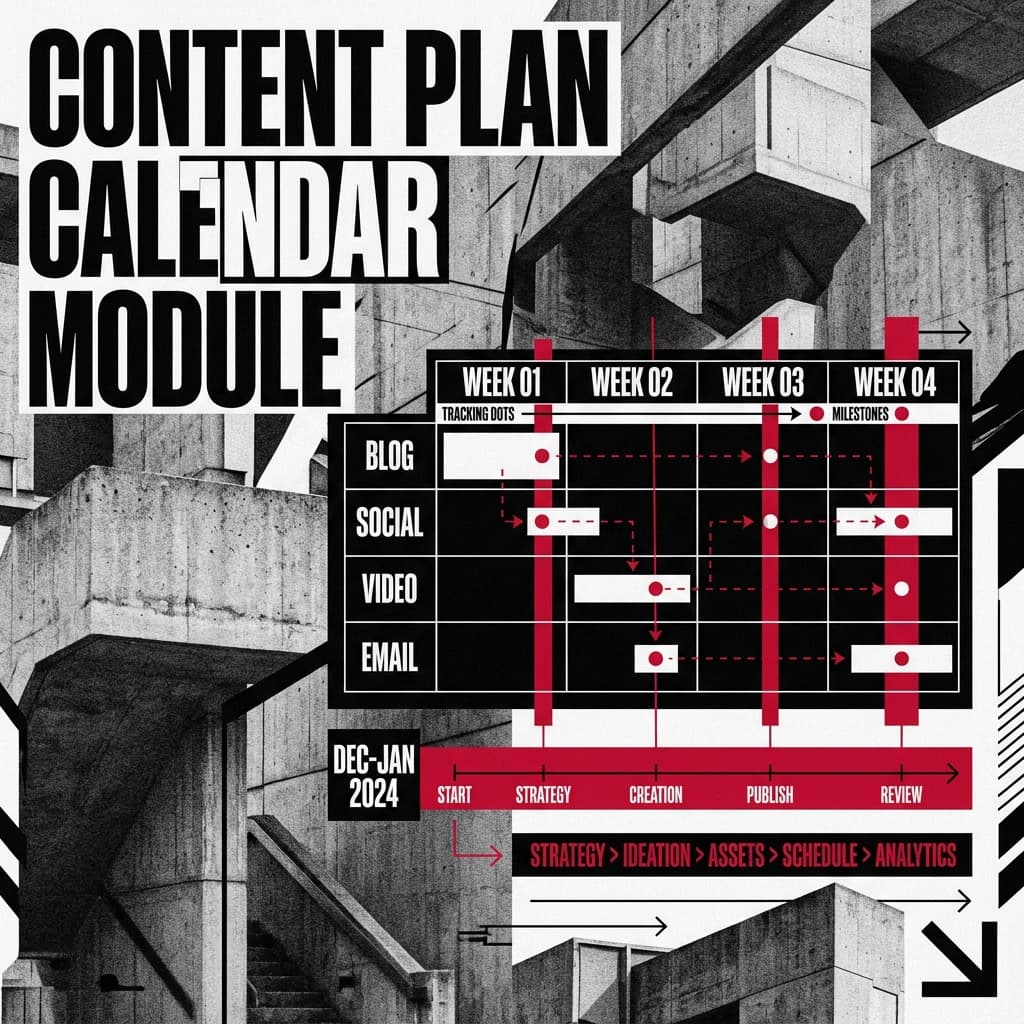
Batching means grouping similar tasks together and knocking them out in one session. Here's what it looks like in practice:
- Monday morning (2 hours): Write all your social captions for the week. Use Inktivate's Social Media Post Generator to draft them quickly, then personalize each one with your voice.
- Tuesday (1–2 hours): Write or outline your weekly long-form piece. Use an Outline Generator to get the structure down fast.
- Wednesday (1 hour): Create all visuals for the week. If you're using Canva or Figma, batch-design everything in one sitting.
- Thursday (30 minutes): Schedule everything. Load it all into your scheduling tool and let automation handle the publishing.
Total time: about 5–6 hours per week, concentrated into focused blocks instead of scattered across 7 days. Most creators who switch to batching report saving 3–4 hours per week compared to their old approach.
Seasonal Planning: Think in Quarters, Not Days
One of the biggest content calendar failures is thinking too short-term. If you're only planning one week ahead, you'll never build momentum around themes, campaigns, or seasonal opportunities.
At the start of each quarter, spend one hour mapping out the big-picture themes:
- Q1 (Jan–Mar): New year, fresh starts. "Goal setting," "Getting organized," "Planning" content performs well.
- Q2 (Apr–Jun): Spring energy. "Growth," "Launching new projects," "Scaling up."
- Q3 (Jul–Sep): Mid-year check-in. "Course correction," "Reviewing progress," "Preparing for Q4."
- Q4 (Oct–Dec): Year-end push. "Holiday campaigns," "Black Friday," "Year in review," "Planning for next year."
Layer in industry-specific dates — product launches, conferences, awareness months, cultural moments. Having these mapped out in advance means you're never scrambling for a topic the day before a post is due.
Repurposing Across Platforms: Work Smarter, Not Harder
Here's the secret that saves content teams dozens of hours per month: create once, distribute many. One piece of cornerstone content should feed your entire content calendar for the week.
Say you write a blog post called "5 Pricing Strategies for Freelancers." That single piece can become:
- A Twitter/X thread breaking down each strategy in 280-character chunks
- A LinkedIn post sharing your personal experience with one of the strategies
- An Instagram carousel with a visual for each tip
- A short-form video (Reel or TikTok) covering the most counterintuitive strategy
- A newsletter segment linking to the full blog post
- A Pinterest pin with the key takeaway designed as a quote graphic
That's 6 pieces of content from 1 piece of work. Use Inktivate's Summarizer Tool to condense the blog post into different lengths and formats for each platform. The AI handles the reformatting; you handle the platform-specific tweaks.
Tools and Templates: Keep It Simple
You don't need expensive project management software to run a content calendar. Here's what actually works for most small teams:
- Google Sheets or Notion: Free, flexible, and shareable. Create columns for: Date, Platform, Content Type, Topic, Status (Draft/Scheduled/Published), and a link to the asset.
- Scheduling tools: Buffer, Later, or Hootsuite for social. ConvertKit or Mailchimp for email. WordPress's built-in scheduler for blog posts.
- Asset storage: Google Drive or Dropbox. Create a folder structure by month, with subfolders for each platform. When it's time to publish, you know exactly where everything lives.
The fancier your system, the more likely you are to abandon it. A simple spreadsheet that you actually update beats a $50/month tool that you stop using after the free trial.
Measuring What's Working (and Cutting What Isn't)
A content calendar without measurement is just a to-do list. You need to know which content is actually moving the needle so you can do more of it — and stop wasting time on the stuff that doesn't perform.
At the end of each month, spend 30 minutes reviewing these metrics:
- Blog: Which posts got the most organic traffic? Which had the highest time-on-page? These are your winners — write more on those topics.
- Social: Which posts got the most saves and shares (not just likes)? Saves and shares indicate genuine value. Likes are vanity.
- Email: Which subject lines had the highest open rate? Which emails drove the most clicks? Double down on those formats.
Be ruthless about cutting underperforming content types. If your LinkedIn polls consistently get zero engagement, stop posting polls. If your audience loves listicles but ignores opinion pieces, give them more listicles. Don't fight the data.
The Calendar That Sticks
Here's the truth nobody wants to hear: consistency beats perfection every single time. A "good enough" content calendar that you maintain for 12 months will massively outperform a perfect calendar that you abandon after two weeks.
Start small. Batch your work. Repurpose aggressively. Measure monthly. Adjust quarterly. And give yourself permission to have off weeks — because you will, and that's completely normal.
The creators who win aren't the ones with the fanciest tools or the most complex systems. They're the ones who kept showing up, week after week, even when it felt like nobody was paying attention. Because eventually, people do pay attention. And when they arrive, you'll have a library of content waiting for them.